

Sales orders that maximise efficiency and accuracy
Are your manual sales orders creating errors, reducing customer trust and driving up the cost of returns?
Action all your sales orders from a single place, and enjoy the efficiency of connecting all your different sales channels to your internal processes and stock management with Unleashed - your reliable inventory and order fulfillment software.

Choose the highest-rated sales order management system






See our inventory and sales management software in action
Tasmin Kirkley shows how Unleashed manages inventory and sales orders from multiple channels. Watch the video as she fulfils shipments, orders stock, completes partial shipments and monitors margins all within a single platform.
How will Unleashed help your inventory and sales efforts?
Unify all sale processes into one place that directly connects to your inventory quickly and easily.
Sales and inventory management in one place, at record pace
Keep your sales funnel flowing with efficient sales order management that syncs to your inventory. Monitor their status, and progress orders, and use filters to see what’s critical to your business.
-
Reserve Stock for Smarter Sales
Allocate stock to critical sales orders to guarantee it doesn’t disappear when you need it most.
-
Time-Saving Bulk Actions
Maximise efficiency by bulk processing critical actions. Apply serial and batch numbers, complete orders, email invoices, and much more.
-
Clone Orders
Need to replicate an order? No need to start over. Once you create a sales order, you can clone it with a few clicks and allocate it to a new customer.

Pricing and margins that you can rely on
Eliminate costly mistakes. Unleashed will automatically generate product prices, tax, margins, and customer pricing for you. Complete orders with confidence, knowing that you can trust your data.
-
Intuitive Tiered Pricing
Add multiple price tiers for each product and assign a price tier to each customer. This ensures the correct price, discount, and tax is used for each product, every time.
-
Meaningful Margins
Know exactly how much you are going to make from each and every sale by viewing margins on sales orders. Your margins will automatically update when charges and discounts are applied – helping you make smarter business decisions that drive more profitable sales.

Faster order taking, total order visibility and smart reporting
Our CRM lets you collaborate seamlessly thanks to up-to-date customer, stock and order records.
-
Intelligent and automatic segmentation
We automatically categorise your customers by order recency, frequency and value to help you manage your best and worst customers.
-
Missing order alerts
Get prompts when customers haven’t ordered at their usual frequency before they become a churn risk.

Consistent financials across platforms
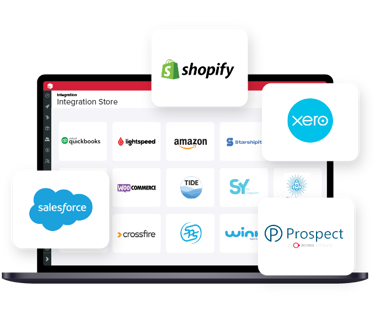
Integrate Unleashed with Quickbooks Online or Xero for complete data integrity.
-
Separate Invoices and Orders
Easily deal with pre-payments or split deliveries with invoices that are separate to the sales order. Send the invoice to your accounting software to manage payment, while keeping the sales order open as you work on it.
What our customers say


Frequently Asked Questions
Does Unleashed guarantee secure data sync between sales channels and accounting software?
Yes. Unleashed automatically updates your connected systems and securely reconciles all transactions as they happen to eliminate discrepancies. The Unleashed API enables real-time data synchronisation with your custom tools, while native integrations with platforms like Xero and QuickBooks update stock levels instantly. Your sales, inventory, and financial data stay perfectly synchronised across every platform.
All Unleashed user data is encrypted using data encryption and the TLS protocol to encrypt internet traffic. Enhanced security features include 2-step authentication, with data replicated across global servers daily.
Can I sell a product that's out of stock?
Yes. You can add any product to a sales order and raise an invoice even if stock isn't currently available. The only restriction is dispatch: goods need to be in stock before they can be shipped. This means you can take the order and sort out fulfilment once stock arrives.
Can I sell products that are still on an open purchase order?
Yes. Products already on order from a supplier can be added to sales orders and invoiced straight away. Once the stock arrives and is receipted, it can be dispatched against the relevant sales order without any extra steps.
Can I track which sales order has reserved specific stock?
Yes. Each product record shows all open transactions linked to it, including which sales orders have stock allocated against them. You can see exactly where your available inventory is committed at any point.
Can I add more lines or make changes to a sales order after it's been created?
Yes, as long as the order is still open and hasn't been completed or deleted. You can add product lines, charges, and other details without needing to create a new order. Note that sales orders are individual transactions and cannot be merged together.
What happens to a sales order once it's been completed?
Completed sales orders are locked and cannot be edited or deleted. If you need to reverse a completed sale, you can raise a credit note against it to counter both the sale and any dispatched stock.
What if a sales order has been invoiced but there's no stock left to dispatch?
You'll need to bring stock back into your inventory first, using a stock adjustment, an assembly, or a new purchase order. Once the stock is available, complete the sales order, then raise a credit note if you need to reverse the transaction.
What if a shipment has been dispatched but the sales order hasn't been invoiced yet?
Create an invoice from the shipment and complete it. After that, if you need to reverse the transaction, raise a credit note to counter the sale and return the goods to stock.
What happens to linked purchase orders if I deallocate a sales order?
Deallocating a sales order only releases the stock that was reserved against it. Any linked purchase orders are unaffected and remain exactly as they were. When those POs are receipted, the stock will update your availability as normal.
Try Unleashed free for 14 days. No credit card required.
Unlock more from Unleashed
Extend your sales order processing with powerful add-ons built to scale your business.


